

We’ve noticed some customers experiencing issues at checkout — don’t worry, your cart isn’t broken. There’s just one important step that needs to be completed before proceeding.
Follow this quick guide to ensure your order goes through smoothly
Step 1: Enter Your Shipping Details & Update Totals
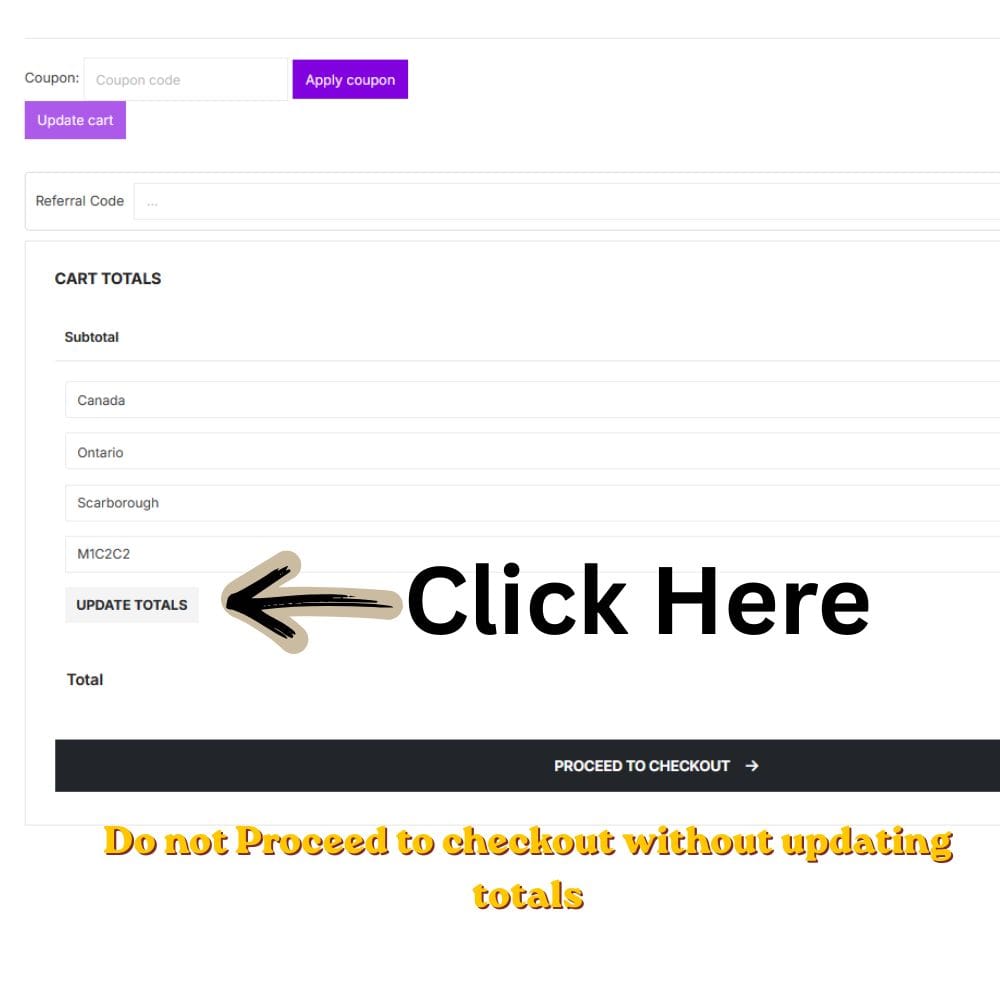
Before anything else, you must:
- Enter your shipping location (province/postal code)
- Click the “Update Totals” button
Important:
If you skip this step, shipping rates will not load — and checkout may not work properly.
Step 2: Select Your Shipping Method
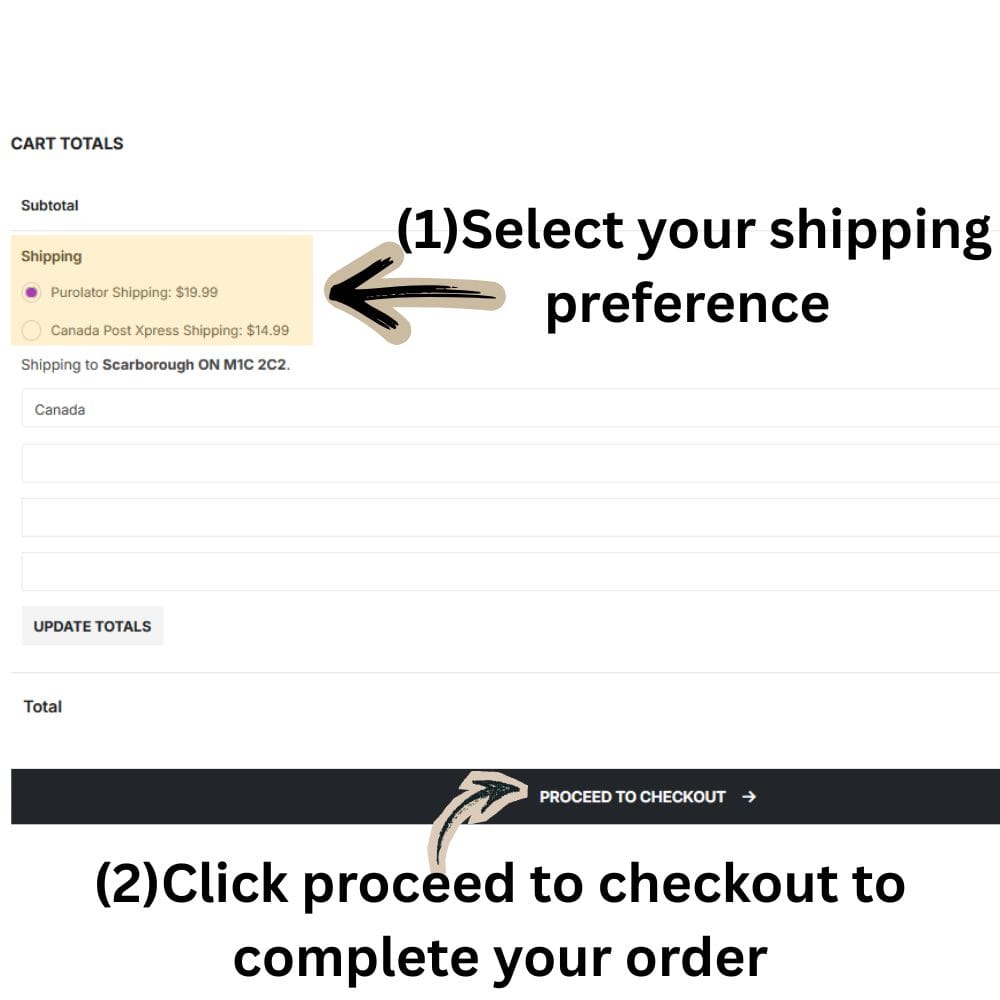
Once totals are updated:
- You’ll see available shipping options (e.g., Purolator / Canada Post)
- Select your preferred shipping method
💡 If Canada Post is unavailable, we may automatically use Purolator to avoid delays.
Step 3: Proceed to Checkout
After selecting shipping:
- Click “Proceed to Checkout”
- Complete your order as usual
Common Issue (Quick Fix)
If checkout isn’t working:
You likely did not click “Update Totals” after entering your address
This is required to:
- Calculate shipping correctly
- Enable checkout properly
Sometimes switching between Canada Post and Purolator can resolve the checkout loop issue.



Leave a Reply
You must be logged in to post a comment.